Oninsta
If you’re still ignoring long Reels, you’re missing the mark. Do you know How to Make 60 Seconds Reels on Instagram? Creators who use the full length are already outpacing you in visibility, engagement, and reach.
Skip the 60-second format, and you’re handing your competitors the edge. Ready to turn passive scrollers into active fans? Let’s dive into the step-by-step guide to upgrade your Reels and ensure you never get overlooked again.

Steps for Making 60-Second Reels on Instagram
Creating an Instagram Reel (short-form video) is easy and perfect for capturing your audience’s attention with more detailed Content.
Follow these simple steps to adjust your Reels length before posting to make 60 Seconds Reels on Instagram:
- Open the Instagram app and navigate to your profile.
- Tap the “+” icon in the top-right corner and select “Reel.”
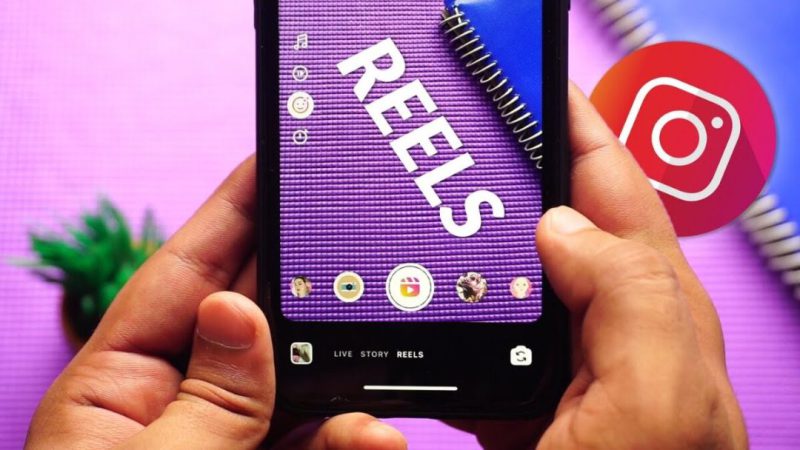
- On the camera screen, tap the “Length” button and select a duration: 15 seconds, 30 seconds, 60 seconds, or 90 seconds.
- Instagram sets the default to 30 seconds, a solid choice for most Content. You can constantly adjust this based on the type of video you’re creating.
- Select Your Media
- You can upload clips from your gallery or record a new video directly in the app.
- Edit Your Video
- Use Instagram’s editing tools to trim, scale, or crop your clips. You can also add additional clips to fill the video duration.
- Add Audio and Effects
- Enhance your video by adding music or a voiceover. You can also use Instagram’s filters, stickers, and GIFs to make your Reel more engaging.
- Write a Caption
- After editing, move to the next screen to add a caption. Include relevant hashtags and tag any people or brands featured in the video.
- Tag Paid Partnerships
- If your Reel includes sponsored Content, you can tag the brand or influencer in the “Additional Settings” section.
- Publish Your Reel
- Once you’re happy with your creation, click Share to post your Reel on your profile.
- Tips: To maximize engagement, try posting your Reels at the best times when your followers are most active.
What’s the Ideal Length for Instagram Reels?
When creating successful Instagram Reels, the ideal length depends on the type of Content. Here’s a guide to help you choose the best video duration:
- Engagement-Driven Content (7-15 seconds): Quick, impactful Reels (like product highlights, tips, or catchy intros) tend to keep viewers engaged and increase shares and likes. Shorter videos are ideal for boosting engagement.
- Educational Content (30-45 seconds): Tutorials or “how-to” videos often benefit a bit more time. Keeping the video under 60 seconds ensures it remains digestible while offering helpful information.
- Storytelling or Narratives (60-90 seconds): The 90-second Limit is ideal for telling a story or providing detailed Content (such as brand stories, testimonials, or product overviews). This allows for a more immersive and story-driven experience. This is the ideal category if you want to make 60 Seconds Reels on Instagram.
- Experiment with Analytics: Testing different lengths and monitoring the results (using Instagram insights) can help you understand what works best for your audience: track completion rates and engagement to adjust your content strategy.
- Tip: Instead of posting as a Reel, upload longer Content as an Instagram Video since Reels have a 90-second limit.
How Instagram Reels Length Has Changed Over Time?
Instagram extended Reels’ length to stay competitive with TikTok and YouTube Shorts, offering creators more creative freedom. Here’s how the changes have unfolded Instagram Reels length limit:
- 15-Second Limit (2020): When Instagram first introduced Reels, the maximum video length was 15 seconds, competing with TikTok’s similar format.
- 30-Second Extension: A few months after launch, Instagram expanded the duration to 30 seconds to offer more creative possibilities.
- 60-Second Reels (2021): Instagram raised the Limit to 60 seconds, giving users more flexibility to tell longer stories.
- 90-Second Limit (2022): In 2022, Instagram extended the Limit to 90 seconds, further enhancing creative options.
- 3-Minute Reels (2025): In January 2025, Instagram officially raised the maximum Limit to 3 minutes, allowing for more detailed Content.
(5) Best Reels Engagement Hacks
When creating Instagram Reels, it’s not the length that matters most; it’s how you use it. Follow these tips to make your Reels more engaging, especially when you make 60 Seconds Reels on Instagram:
- Hook Viewers in the First 3 Seconds: The first few seconds are crucial for getting viewers to continue watching.
- Use Captions and Text Overlays: These add context, increase accessibility, and can help boost engagement on your Reels.
- Incorporate Trending Audio and Effects: This boosts visibility and engagement, helping your Reels reach a wider audience.
- Fast-Paced Editing: Keep the editing quick and energetic to maintain viewer interest throughout.
- Include CTAs: Encourage audience interaction with calls-to-action, like questions or polls, to foster engagement.
Troubleshooting If You’re Unable to Make 60-Second Reels on Instagram
Instagram occasionally does not update everyone at once, so you might not see the 60-second or extended Reels option. You can try a few easy solutions before giving up.
- Update the Instagram App: Visit the Google Play Store (Android) or App Store (iOS) to see if a new version is available.
- Log Out and Log Back in: Refreshing the page can occasionally fix issues.
- Update Instagram’s Settings and Features: Uninstall and Reinstall the App.
- Clear the Cache of the App (Android Users): To fix missing features, go to your phone’s settings and clear the cache of Instagram.
- Report the Issue to Instagram: If none of the above actions resolves the issue, report it to Instagram using its support feature.
- Sign up for Instagram Beta to get Early Access: Instagram frequently uses beta users to test new features first.
- Upload via Desktop: The Instagram web version has successfully allowed users to upload longer videos.
- Post as an Ordinary Video: If your Reel is cropped, consider posting it as an ordinary video.
Finalizing
Mastering “How to Make 60 Seconds Reels on Instagram?” isn’t just about filling time; it’s about using that time wisely to connect, inform, and inspire.
If you want to connect with your audience on a deeper level, share a more compelling story, or get noticed in a busy feed, using the full 60 seconds of Reels can impact your content goals.
Need more help or want to share your best-performing Reel tip? Leave a comment or question below; we’re here to grow together.
How long can Instagram Reels be?
Instagram Reels can be up to 90 seconds long as of 2022.
How do you make a 60-second Reel?
Select the 60-second option when recording or uploading your video.
Why can’t I make a 60-second Instagram Reel?
Ensure your app is updated, and try logging out or clearing the cache.
How do I post longer Instagram Reels?
Post longer content as an Instagram Video instead, as Reels are limited to 90 seconds.
Can Instagram Reels Be 6 Seconds Long?
Yes! Instagram Reels can be as short as 6 seconds, perfect for quick, eye-catching Content that captures attention immediately.