Oninsta
Ever wondered just how far your Instagram Story really goes? Are people noticing your moments, sharing them, or simply scrolling past? If you’re curious how to see who shared your Instagram story and track its reach, you’re not alone.
That thrill of knowing your content is being seen and shared taps into a basic human desire: to be recognized, appreciated, and connected. Ready to uncover who’s watching, sharing, and amplifying your Stories? Let’s dive in and explore all the ways to track your Story’s journey!

Can You See Who Shared Your Instagram Story?
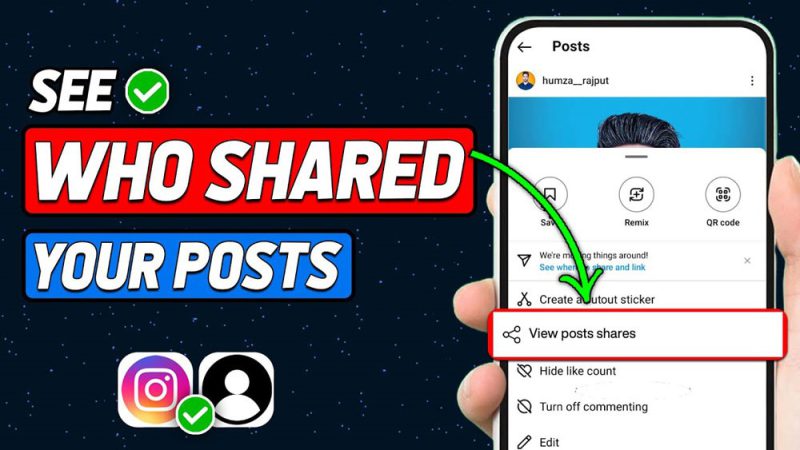
The answer is, kind of. Instagram doesn’t show exactly who shared your Story unless you have a business or creator account. These accounts unlock Instagram story insights and allow you to access Instagram analytics for story shares, viewer count, and total share numbers.
For personal accounts, the Instagram story share tracker only provides limited data. But if you upgrade, you can view Instagram story shares on business account dashboards, helping you find out who viewed and shared your Instagram story.
How To Check Story Shares on Instagram? (3 Methods)
Want to see who shared your Instagram Story? Learn 3 ways to check Story reshares using Insights, tags, and notifications, plus how to switch to a business account.
1.Story Shares on Instagram While It’s Still Active
When your Story is live and visible to your followers (within the 24-hour window), you can directly check how many times it has been shared. This shows the total number of shares. While it won’t list usernames, it helps you track Instagram story shares without story forwarding notifications.
- Open your active Story.
- Tap “View Insights” at the bottom-left corner.
- Scroll to see the story share statistics in the story analytics tools.
2.Story Shares on Instagram After It Expires
Even after your Story disappears from public view after 24 hours, Instagram keeps a record of its performance in your Archive. These stats provide Instagram engagement metrics, track story shares on Instagram, and help measure Instagram story reach and shares.
You can revisit these stats to analyze how your Story performed:
- Go to your profile > Menu > Archive > Stories Archive.
- Select the Story and swipe up to access metrics such as:
- Shares
- Story viewers list
- Profile visits
- Replies
- Navigation actions (Back, Forward, Exit)
3.Tag Notifications and Mentions on Instagram
Sometimes someone reshares your Story and tags you (for example, “@yourhandle”). You’ll get a notification to see who forwarded my Instagram story. This is the only way to see story interactions on Instagram for specific users.
Keep in mind, private accounts may limit visibility even with tags. Here’s how Instagram notifies you:
- You may also see a DM preview.
- You can repost the Story directly from the notification.
How Account Type Impacts See Who Shared Your Instagram Story?
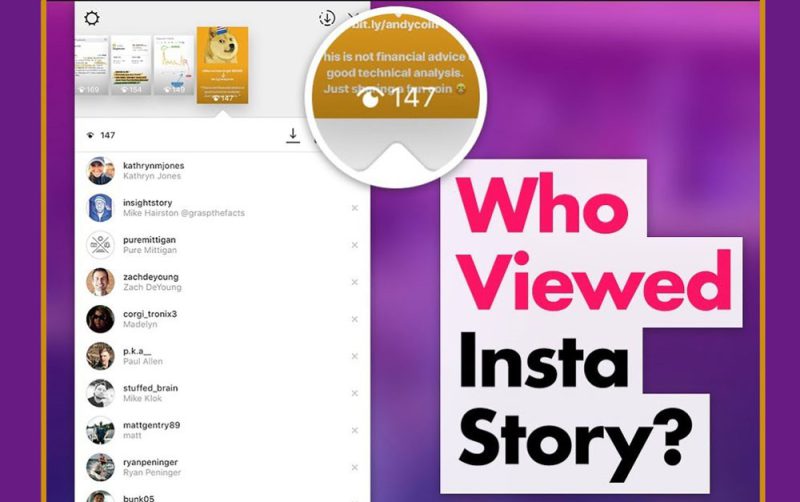
Personal accounts don’t allow monitoring Instagram story activity or checking Instagram story reactions. For deeper insights like who forwarded my Story, story views vs shares, and track Instagram story engagement, switching to a Business or Creator account is essential. Professional accounts also enable:
- Running ads
- Accessing Instagram content analytics
- Understanding audience interaction on Instagram
How to Switch Accounts to Track Story Shares?
To gain access to a valuable analytics dashboard, you can easily make the switch on both mobile and desktop devices. Once switched, you can use all features to see who shared your Instagram story, view Storythe reach tracker, and analyze the Instagram story performance.
On Mobile (iOS & Android)
- Open Instagram > Profile > Menu > “Account type and tools” > Switch to Professional Account Business or Creator > follow setup.
On Desktop
- Log in > Settings > Account type and tools > Switch to Professional Account > Business or Creator > setup.
Why can’t you always Identify Who Reposted Your Instagram Story?
Even with all the tools and analytics available, Instagram prioritizes user privacy over complete transparency. This means you won’t always see exactly who shared your Story. Understanding these limitations helps set realistic expectations for tracking your content’s reach.
- DM shares are private and won’t show up in your Insights.
- Without a professional account, you won’t see the share Instagram metrics.
- Even with a Business or Creator account, Instagram won’t always show who shared, just the number of times it was shared.
| Method/Feature | Brief Explanation | Benefits | Limitations |
| Active Story View | Check share count while the story is live | Quick access to number of shares | Does not show usernames |
| Archived Stories | Check Insights after the 24-hour story period | Analyze performance and reach | Only shows total stats, not individual users |
| Tag & Mention Notifications | When someone reshared your Story and tagged you | Can identify specific users | Only works if tagged; private accounts have restrictions |
| Account Type Difference | Personal vs Business/Creator account | Professional accounts unlock full Insights and analytics | Personal accounts have limited visibility |
| Switching to Professional Account | Settings > Account Type > Business or Creator | Gain full access to story analytics and engagement | Requires account change and verification |
| Privacy Limitations | Instagram prioritizes user privacy | Protects users while still providing general stats | Cannot always see exactly who reshared |
Conclusion
While Instagram doesn’t always reveal exactly who shared your Instagram story, there are multiple ways to gather insights about your Story’s reach and engagement. By staying informed, you can improve your Instagram app content analytics and grow your presence in 2025.
Have you ever been surprised by who reshared your content? Share your experiences below about ways to find out who shared my Instagram story or how to know if someone shared my Story on Instagram. Let’s celebrate moments that make Stories worth sharing!
Can you view the users who shared your Story?
You can see the number of shares on business or creator accounts, but not the exact usernames.
How to find shared stories on Instagram?
You can check shared Story counts in Insights if you have a business or creator account.
Is there a free app to see who shared your Instagram story?
There’s no reliable free app that can show who shared your Instagram Story due to privacy restrictions.
Is it possible to see who’s shared my post to their Story?
Instagram only shows if someone shared your post to their Story when they tag you; otherwise, you can’t see exactly who shared it.
Can I see shares of expired Instagram Stories?
Yes, Insights for expired Stories are available in your Stories Archive if you have a Professional account.