Oninsta
A private Instagram account is something more and more users are searching for, and not without reason. Every post, story, or follow exposes our digital lives more, leaving many wondering who’s watching. You’re not alone if you’ve ever felt uneasy about strangers viewing your content. The “How to Make Your Instagram Account Private?” guide dives into making your Instagram account private, giving you the tools to reclaim your privacy and peace of mind.
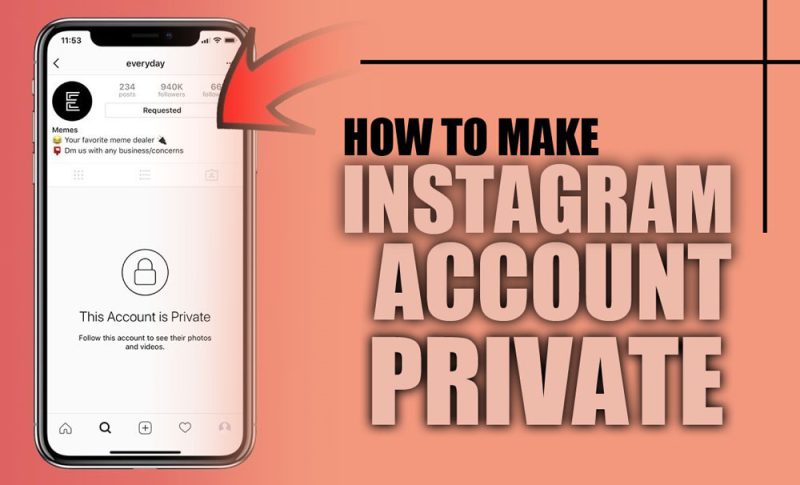
Steps to Make Your Instagram Account Private
The process of how to change Instagram privacy settings is straightforward and can be accomplished in a few simple steps. Here’s a step-by-step guide:
- Fire up the Instagram app on your phone and sign in to the account you want to make private.
- Tap the profile icon (bottom right corner), which takes you to your page, where the magic begins.
- Tap the three horizontal lines (☰) to open your account menu in the top-right corner of your profile.
- From the menu, head into Settings and Privacy, usually marked with a gear icon. This is your control panel.
- Scroll until you find the Account Privacy section. This is where you’ll find the key setting.
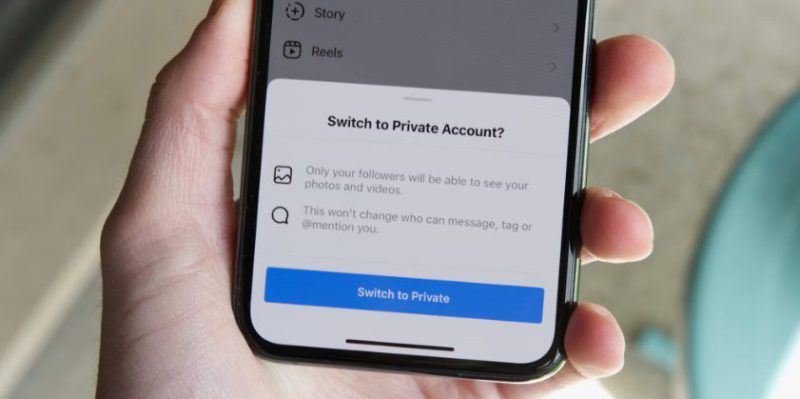
- You’ll see an option labeled Private Account. Toggle it on. Your profile is now shielded from the public.
- A quick prompt will pop up asking, “Are you sure?” Tap Yes to lock your account. Only approved followers can now see your posts and stories.
(+ 5) Reasons for Making Your Instagram Account Private
Users choose to private Instagram accounts for several reasons, all aimed at gaining more control over their digital presence:
- Protecting Personal Privacy: Safeguarding personal content from strangers is one of the main reasons for making an account private. Instagram privacy settings allow you to stop strangers from seeing Instagram.
- Controlling Followers: By setting your account to private, you decide who can follow you and view your content, limiting access to close friends and family.
- Preventing Harassment and Spam: Private accounts are less likely to attract bots, fake profiles, or spam messages. You can restrict account access on Instagram; for example, block unknown Instagram users to ensure a safer experience.
- Enhanced Security: Limiting who sees your content helps secure your personal information and reduces the risk of misuse. Instagram account security is critical in protecting your online space.
- Sharing More Personal Content: A private account lets you confidently share intimate moments, knowing only approved followers can see them (especially useful for Instagram safety for teens).
(4) Differences Between a Private and Public Instagram Account
Understanding the differences between private and public Instagram accounts can help you decide the best setting. If you choose to turn off the public Instagram account, here’s what changes:
· Content Visibility
- Public Account: The content (posts, stories, reels, highlights) of public accounts is visible to all Instagram users, even if they do not follow the account owner.
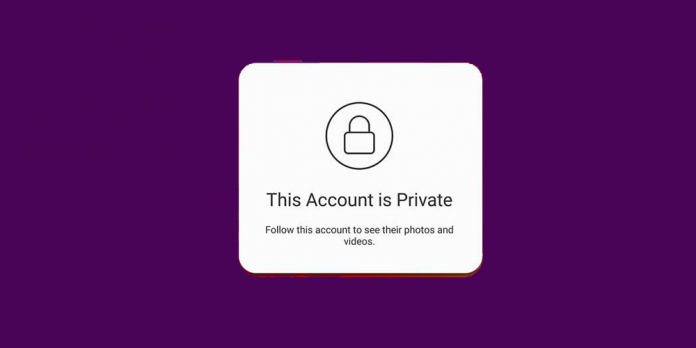
- Private Account: The content of private accounts is visible only to approved followers. Non-followers can see the profile picture, username, and the number of followers. This is how you hide Instagram posts from the public.
· Following Permissions
- Public Account: Anyone can follow your account without your approval.
- Private Account: To follow a private account, users must send a follow request, which you can approve or deny. This is where Instagram follower control comes into play.
· Discoverability
- Public Account: Public accounts are more likely to appear in Instagram search results and the Explore page, making it easier for new users to find you.
- Private Account: Instagram account visibility is limited to approved followers or users recommended by them. Discoverability is confined to a smaller circle.
·Interaction Capabilities
- Public Account: Anyone can like, comment, and share posts.
- Private Account: Only approved followers can engage with your posts.
| Feature | Public Account | Private Account |
| Post Visibility | Anyone can see | Only approved followers |
| Follower Control | Auto-accept followers | Must approve each request |
| Discoverability | Shown in Explore & Search | Hidden from most users |
| Interaction Limits | Anyone can comment, like, share | Only approved followers can interact |
Why You Might Not Be Able to Make a Private Instagram Account?
There are a few potential reasons you might encounter issues when trying to have Instagram Account Private:
- Business or Creator Account: If your account is set up as a Business or Creator account, you won’t be able to make it private.
- Technical Issues: Bugs or glitches within Instagram might prevent you from changing settings. Try restarting the app or your device, and ensure you’re using the latest version of Instagram.
- Temporary Restrictions: Instagram may temporarily restrict changes to account settings. If this happens, wait a bit and try again.
- Weak Internet Connection: Ensure your device is connected to a stable internet network.
- Third-Party Apps: Certain unauthorized third-party apps can interfere with your account settings. Check and remove suspicious apps in “Settings” under “Apps and Websites.”
In the end
Switching to a private Instagram account is a powerful way to protect your personal space and share content on your terms. You can confidently control your digital presence by understanding How to change Instagram privacy settings, the benefits of a private profile, and troubleshooting potential issues.
Have you ever made your account private? What prompted your decision, and how did it change your Instagram experience? Share your thoughts in the comments below. If you have any more questions on the “How to Make Your Instagram Account Private?” topic, feel free to ask!
How do I change my public account to private?
Go to your Instagram profile > Tap the three lines > Settings and privacy > Account privacy > Turn on “Private account.”
How do I make my Instagram list private?
If you mean “Close Friends” or followers list, only you can see your Close Friends list. Your followers list can’t be hidden, but you can remove or block users.
Why can’t I have a private Instagram account?
Business accounts can’t be private. Switch to a personal account in settings to enable privacy.
Can I hide my Instagram account without deleting it?
You can temporarily deactivate your account through a web browser: Profile > Edit Profile > Temporarily deactivate your account.
Is it better to have a public or private Instagram?
Public accounts are better for growth and exposure; private accounts offer more control and privacy. Consider your goals and use this Instagram privacy control guide to decide.