Oninsta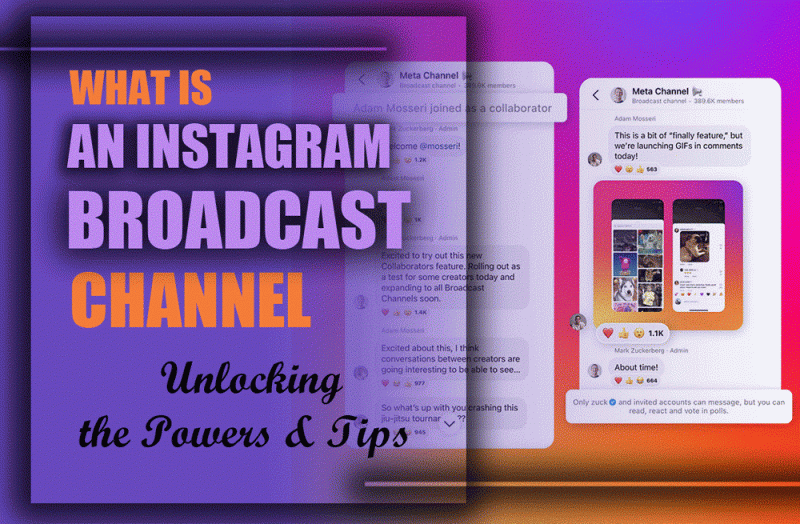
Instagram Broadcast Channel is one of the latest additions to the platform, providing creators with an efficient way to share updates directly with their followers.
This feature allows creators to send messages to a large group at once, using a one-to-many messaging option. Only the creator can send messages, while subscribers can react and participate in polls. But how does this feature work, who can use it, and how can it be leveraged for audience engagement?
Let’s explore everything you need to know, from how to create a broadcast channel on Instagram to how to engage the Audience on Instagram using this feature.
What is an Instagram Broadcast Channel?
When you face the Instagram updates, you wonder and ask “What does broadcast channels mean on Instagram?”
This feature is a direct messaging feature designed for one-to-many communication between creators and their followers. Unlike regular group chats, this tool allows only the creator to post messages, while followers can react and interact through polls.
It’s a fantastic way to use Instagram marketing tools to share exclusive content, important updates, or behind-the-scenes insights.
How Do Instagram Broadcast Channels Work?
Once a creator launches, this feature invite is sent to their followers. Those who accept will receive updates in their inbox, just like a regular conversation thread, but they won’t be able to reply.
Key Features:
- One-way messaging: Only the creator can post content.
- Reactions & polls: Followers can engage but not reply.
- Notifications: Users can enable alerts for new updates.
- Exclusive updates: Great for delivering time-sensitive content.
It’s an ideal tool for social media communication that allows creators to share information efficiently.
Who Can Create a Broadcast Channel on Instagram?
After getting data about the new feature of Instagram. We want to explain the frequent question asked by the users: Can anyone create a broadcast channel on Instagram?
Currently, only individuals with a creator account are eligible for an Instagram Broadcast Channel. Business and personal accounts do not have access to this tool at the moment.
So, if you think about how many followers do you need to make a broadcast channel on Instagram, we should say that Instagram hasn’t minimum number, but you should consider all the Broadcast Channel tips.
Is an Instagram Broadcast Channel Private?
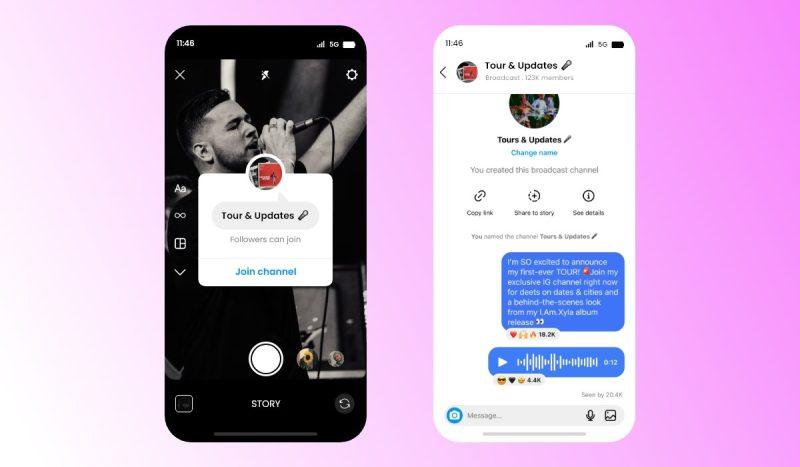
Indeed, it is a public messaging tool where creators share updates with their followers. While only the creator can send messages, anyone who joins can view them. Here are two questions that come across from users:
- Are your interactions visible to others? Unlike public posts, only the creator and the people who have joined can see the content shared in the channel.
- Can someone see when you leave the channel? No, leaving is private, and the creator won’t be notified when you exit.
What Are the Instagram Broadcast Channel Requirements?
In order to start using the broadcast channel feature on Instagram, you need to meet some requirements:
- Must have a creator account
- The Instagram app should be updated to the latest version
- Available in specific regions
To check eligibility:
- Navigate to Settings → Account
- If needed, switch to a creator account
What Are the Benefits of Using Instagram Broadcast Channels?
Using this Instagram features offers numerous advantages for creators and brands:
Direct Access to Followers
Since messages land directly in subscribers’ inboxes, updates are seen without interference from Instagram’s algorithm.
Improved Engagement
The direct messaging feature makes followers feel more connected, boosting social media audience engagement.
Enhances Instagram Content Strategy
By leveraging Instagram marketing tools, creators can maintain interest and build stronger relationships with their Audience.
Easy & Instant Updates
This feature allows creators to use broadcast channels as a quick, casual way to connect directly with followers, providing real-time updates.
No Competition with Other Content
Unlike posts and Stories that rely on Instagram’s algorithm, these messages reach every subscriber instantly.
How to Create a Broadcast Channel on Instagram?
Ready to share exclusive updates with your followers? Creating an Instagram broadcast channel is a breeze. So, follow these simple steps and start broadcasting like a pro:
- Open Your Direct Messages
- Tap the pencil icon and choose “Create Broadcast Channel.”
- Enter a Channel Name
- Select the Audience (followers or subscribers)
- Launch & Start Posting
How to Find Broadcast Channels on Instagram?
If you’re looking to explore or join channels on Instagram, we have three easy suggestions to find them:
- Check Direct Messages: Notifications will appear in your inbox.
- Visit Creators’ Profiles: Many share links in their bio or Stories.
- Look at Instagram’s Updates section: Some channels are promoted through new features.
How to Join an Instagram Broadcast Channel?
If you receive an invite and this question comes to your mind: “How do I join an Instagram Broadcast Channel?” joining is simple:
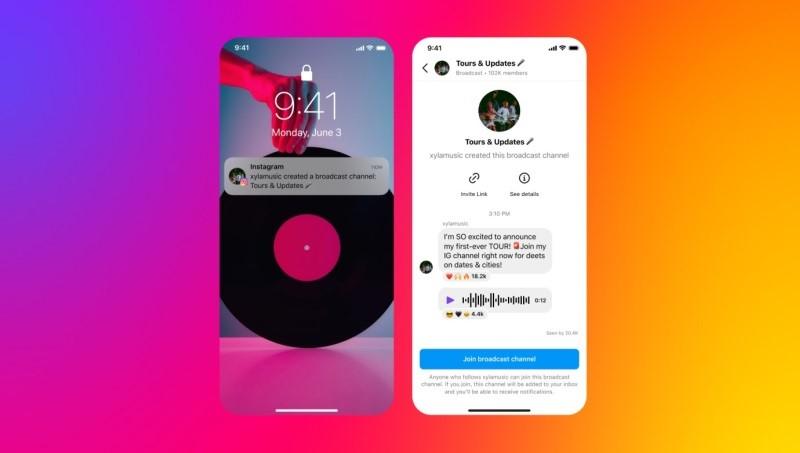
- Check Your Direct Messages: Instagram will notify you when a creator starts a channel.
- Tap the Invite Link: Click “Join Channel” to become a subscriber.
- Enable Notifications (Optional): Activate alerts to stay updated on new messages.
What Happens When You Join a Broadcast Channel on Instagram?
When you get the invitation, you definitely ask yourself, what happens when you subscribe to someone’s channel?! To continue, we will explain to you:
- You’ll get direct updates from the creator.
- You can react to messages and participate in polls.
- You can enable or disable notifications at any time.
- You cannot send messages or reply.
So, in the answer to this question, “What does it mean if someone invites you to their broadcast channel?” you know that you can be a part of their social media world.
What Happens When You Request to Join a Live Video on Instagram broadcast channel?
When you request to join a live video on this channel, the host receives a notification of your request. If the host approves it:
- You’ll be added to the live stream, and your video feed will be visible to the Audience alongside the host.
- A split-screen view will appear, showing both you and the host during the live session.
If the host declines or ignores your request, you won’t be notified, and you’ll remain a viewer of the live broadcast.
Is It Free to Join an Instagram Broadcast Channel?
Yes, these channels are free to use. Any creator or business with a Creator or Business account can create a channel at no cost. However, creators can offer exclusive content through paid subscriptions, allowing followers to pay for special access and providing an opportunity for additional revenue.
Why Can’t I Access Broadcast Channels on Instagram?
If this feature is not available for you, it could be due to a few reasons. Instagram is gradually rolling out this feature, so it might not yet be accessible in your region or for your account type. Ensure that your app is up to date, as new features are often included in the latest updates. If it’s still unavailable, you may need to wait until Instagram expands access further.
Conclusion
The feature we talked about is a valuable tool for social media communication, allowing creators to engage the Audience on Instagram in a more personal way. If you’re eligible, this feature is a fantastic way to strengthen your Instagram content strategy and connect with your Audience in a meaningful way.
Now that you understand how to use Instagram Broadcast Channel, are you ready to create or join one? Explore this feature today and start engaging with your favorite creators!