Oninsta
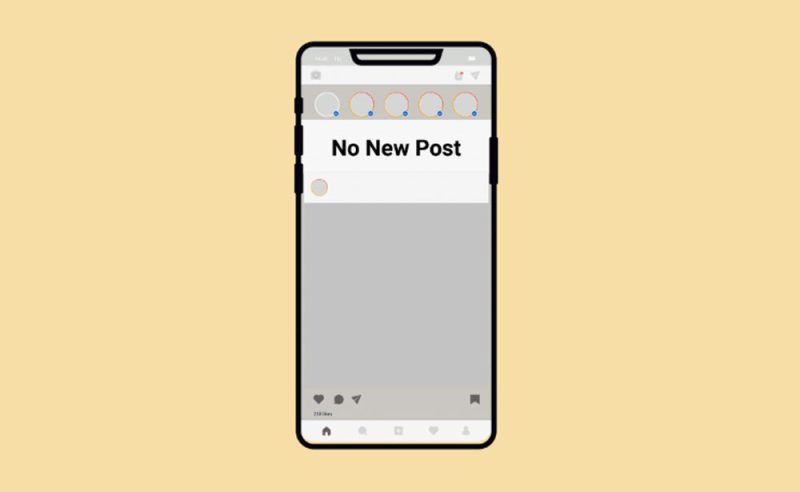
Has your Instagram feed stopped showing new posts? That unsettling moment when you open the app, eager for the latest updates from friends and favorite accounts, only to be met with a digital echo chamber of old content can be truly baffling.
It’s as if your feed is frozen in time, leaving you to wonder if you’re missing out on vital moments or if something more serious is at play. Don’t let this frustrating digital standstill steal your social media enjoyment.
Let’s uncover the mysteries behind “Why is my Instagram feed not showing new posts?” and get it flowing with fresh posts once more.

Understanding the Reasons for Instagram Feed Isn’t Showing New Posts
The issue of not seeing the latest posts on Instagram can stem from a variety of sources, ranging from simple app glitches to more complex Instagram algorithm changes. Each potential cause requires a specific approach to resolve. When your Instagram feed is not updating, it’s often due to one of these common reasons:
1. Poor Internet Connection
One of the most frequent culprits for Instagram feed not showing new posts is a weak or unstable internet connection. Instagram, like any other online service, requires a consistent data flow to load new content.
If your Wi-Fi is spotty or your mobile data is slow, the app might struggle to retrieve new posts. This can often lead to your Instagram feed not updating.
2. Outdated Instagram App
Running an old version of the Instagram app can lead to various Instagram feed issues. Developers frequently release updates to fix bugs, improve performance, and introduce new features. An outdated app might have compatibility problems with Instagram’s servers, causing your feed to refresh issues.
3. Instagram Server Problems
Sometimes, the issue isn’t on your end. Instagram’s servers can experience outages or maintenance, which can temporarily disrupt service and cause new posts not to load. While less common, this issue is entirely outside of your control, resulting in your Instagram feed not displaying new posts as a temporary, system-wide problem.
4. Cache and Data Accumulation
Over time, the Instagram app accumulates a significant amount of cache and data. While this cache is meant to speed up your experience, a corrupted or overloaded cache can sometimes interfere with the app’s ability to fetch new content.
5. Account-Specific Issues
In some rare cases, there might be specific issues with your account itself and cause Instagram feed not showing new posts. This could range from a temporary block on particular activities to a general glitch affecting your profile’s interaction with the feed. If no new posts are appearing on Instagram after general troubleshooting, an account-specific problem could be the cause.
6. Device Storage Limitations
If your device is running low on storage, it can impact the performance of all your apps, including Instagram. Insufficient storage can prevent the app from properly downloading and displaying new content.
7. Instagram Algorithm Changes
The Instagram algorithm changes frequently, determining what content you see and in what order. While these changes are designed to enhance your Instagram user experience, they can sometimes inadvertently affect how your feed loads, especially if there’s a temporary mismatch between the app and the latest algorithm. Understanding engagement on Instagram is key, as the algorithm prioritizes content that it believes you’ll interact with most.
8. App Update Problems
Occasionally, a recent app update, intended to improve the app, might introduce new bugs that lead to app update problems, causing your feed not to display the latest posts correctly. Subsequent hotfixes from Instagram usually resolve this.
Practical Solutions to Fix Your Instagram Feed Issues
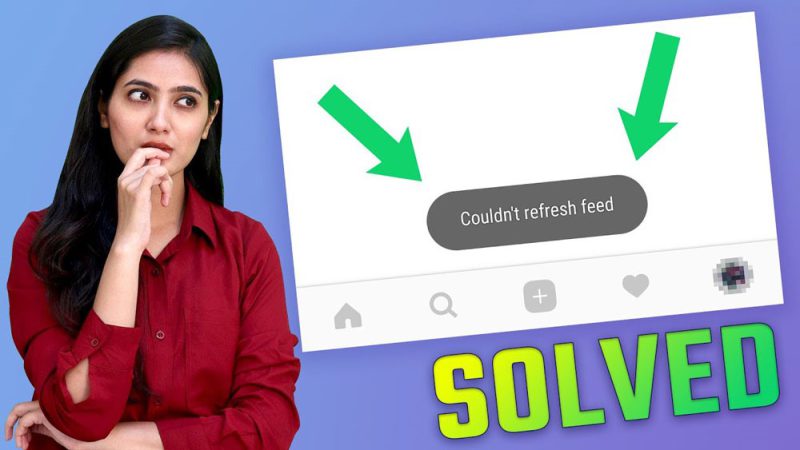
Now that we’ve explored the potential causes, let’s look at how to fix the Instagram feed not showing new posts and get new content flowing again.
Check Your Internet Connection
- Toggle Wi-Fi/Mobile Data: Turn off your Wi-Fi and mobile data, wait a few seconds, and then turn them back on.
- Restart Router: If you’re on Wi-Fi, try restarting your router.
- Test Other Apps: Check if other internet-dependent apps are functioning correctly.
Refresh Your Instagram Feed
A simple refresh of your Instagram feed can often resolve minor glitches.
- Pull Down to Refresh: While on your Instagram home feed, pull down from the top of the screen until you see the loading spinner.
- Force Close and Reopen App: Close the Instagram app completely from your recent apps list and then reopen it.
Update the Instagram App
Ensuring your app is up-to-date is crucial for optimal performance.
- App Store/Google Play Store: Go to your device’s app store (App Store for iOS, Google Play Store for Android), search for Instagram, and check if an update is available. If so, download and install it.
Clear Instagram Cache and Data
This can often resolve issues related to corrupted data.
- For Android: Go to Settings > Apps > Instagram > Storage > Clear Cache and then Clear Data. Note that clearing data will log you out, and you’ll need to re-enter your credentials.
- For iOS: Unfortunately, iOS doesn’t have a direct “clear cache” option for individual apps. The best way to clear Instagram’s cache on an iPhone is to uninstall and then reinstall the app.
Restart Your Device
A simple device restart can often resolve underlying system glitches that might be affecting app performance, which can help solve the issue of the Instagram feed not showing new posts.
- Power Cycle: Turn off your smartphone or tablet completely, wait for about 30 seconds, and then turn it back on.
Check Instagram’s Server Status
If you’ve tried everything else, it might be an issue on Instagram’s end. Use websites like DownDetector or search “Is Instagram down?” on Google to see if there are widespread reports of outages.
Reinstall the Instagram App
This is a more drastic step, but can be effective if the app files themselves are corrupted. Delete the Instagram app from your device, then download it again from your app store.
Review Account Activity and Settings
While less common for feed issues, it’s worth a quick check.
- Log Out and Log In: Sometimes, simply logging out of your Instagram account and then logging back in can reset minor account glitches.
- Check for Notifications: Look for any notifications from Instagram regarding your account status.
Optimize Device Storage
Ensure your device has enough free space for apps to function correctly. Delete unnecessary apps, photos, videos, or files from your device.
Consider Reporting to Instagram Support
If all else fails and you suspect a deeper issue, reaching out to Instagram support is the next step. Go to your Instagram profile > Menu (three lines) > Settings and privacy > Help > Report a problem. Provide as much detail as possible about your social media troubleshooting efforts and the issue you’re facing.
At the end
Don’t let an unrefreshing feed on Instagram dampen your social media experience. While it can be frustrating to see the duplicate content repeatedly, most instances of your Instagram feed being stuck can be resolved with a few simple troubleshooting steps.
By systematically working through these solutions, you can often quickly rectify the problem and get back to enjoying the dynamic and ever-changing world of Instagram.
What specific troubleshooting step proved most helpful for you in resolving your Instagram feed issues? Have you noticed any patterns in when your Instagram feed stops updating? What’s the one feature you wish Instagram had to prevent feed issues like this?
Finally, consider that your ideas and experiences about “Why is my Instagram feed not showing new posts?” can help us improve the quality of our content.
How do I fix my Instagram feed if posts are not showing?
To fix this, try clearing the app cache, updating the app, or logging out and back in. If the issue persists, reinstalling the app may help.
Can I refresh my Instagram feed manually?
Yes! You can refresh your feed by pulling down on the screen while viewing your feed. This action prompts the app to load new content.
Why am I not seeing posts from accounts I follow?
Instagram uses an algorithm that prioritizes content based on your interactions. If you’re not seeing posts from certain accounts, try engaging with their content more often or checking their profile directly.
Are there any known issues with Instagram feeds currently?
Occasionally, Instagram experiences outages or bugs that can affect feeds. You can check platforms like DownDetector for real-time updates on service disruptions.
How can I ensure I see all posts from my favorite accounts?
To see all posts from specific accounts, turn on post notifications by visiting their profile, tapping the bell icon, and selecting “Posts.” This way, you’ll be alerted whenever they share new content.