Oninsta
Have you ever wondered how you can escape the constant barrage of notifications and messages on Instagram during specific times? Well, Instagram Quiet Mode might be exactly what you need. But can it really help you disconnect from the digital noise, or is it just a quick fix?
With this mode, you can stop receiving notifications and only check messages and updates when you choose to. But is this feature designed solely for those looking to take a break from social media, or are there other unexpected benefits? Keep reading to find.
What Does Quiet Mode Mean on Instagram?
Instagram Quiet Mode is a feature designed to help users manage their digital experience by minimizing distractions. When activated:
- It pauses notifications, meaning you won’t receive pings, likes, or messages unless they are from selected contacts.
- The feature is primarily intended for users who want to stay away from the constant barrage of Instagram notifications, allowing them to focus on other tasks or simply take a break from the platform without being disturbed.
Instagram has introduced the Social Media Focus Mode to help users create boundaries around their app usage and avoid getting overwhelmed by constant alerts. This complements Quiet Mode by offering a broader set of options to control how you interact with the platform.
Instagram has designed it as a tool to promote a more mindful approach to using the platform, encouraging users to disconnect and recharge when needed. In fact, adopting mindful social media use means being intentional about how and when you engage with platforms like Instagram, and Quiet Mode encourages exactly that behavior.
Why Should You Use Quiet Mode on Instagram?
There are several reasons why activating Instagram Quiet Mode can be beneficial including:
✔Reduce Distractions
Constant notifications can pull you away from your work, study sessions, or personal time, making it hard to maintain focus.
By activating Instagram distraction-free mode, you create a more controlled environment that allows you to stay focused without the constant interruption of messages, likes, and updates.
✔Manage Instagram Notifications
Gain more control over what updates you receive and when by the help of Instagram Quiet Mode, helping to reduce unnecessary distractions. You can prioritize alerts from your closest contacts while muting less urgent updates.
✔Screen Time Management
Many users find themselves spending more time on social media than they intended, leading to feelings of burnout or digital fatigue. By enabling Instagram Focused Mode, you’re actively managing your usage and creating boundaries for when you engage with the app.
✔Stay Focused with Instagram
Using features like Quiet Mode and Notification Controls ensures your time on the app is productive and stress-free. Instagram’s suite of productivity tools, including Quiet Mode, empowers users to balance social interactions with personal and professional responsibilities.
✔Social Media Detox
If you’re feeling overwhelmed by your social media interactions, Quiet Mode provides an easy way to take a break.
It’s not about quitting social media entirely; it’s about choosing when and how to engage with it in a healthier, more mindful way. This feature helps users to step back from the constant flow of information and return to a more balanced lifestyle.

✔Reduce Instagram Distractions
One of the main benefits of Instagram Quiet Mode is to reduce Instagram distractions, letting users concentrate on more important tasks without the temptation of constant notifications.
✔Digital Wellness Tools
Instagram’s digital wellness tools are designed to promote healthier app habits, helping users take charge of their time and mental well-being.
✔Mental Health Support
Instagram mental health features like Quiet Mode help manage your emotional well-being by reducing the anxiety that can come from being constantly plugged into notifications. It gives you control over your notifications, allowing you to choose when to be contacted, creating a more peaceful and less stressful experience.
✔Focused Notifications Instagram
With focused notifications Instagram offers, you can prioritize alerts from your closest contacts while muting less urgent updates during Quiet Mode.
How to Turn on Quiet Mode on Instagram?
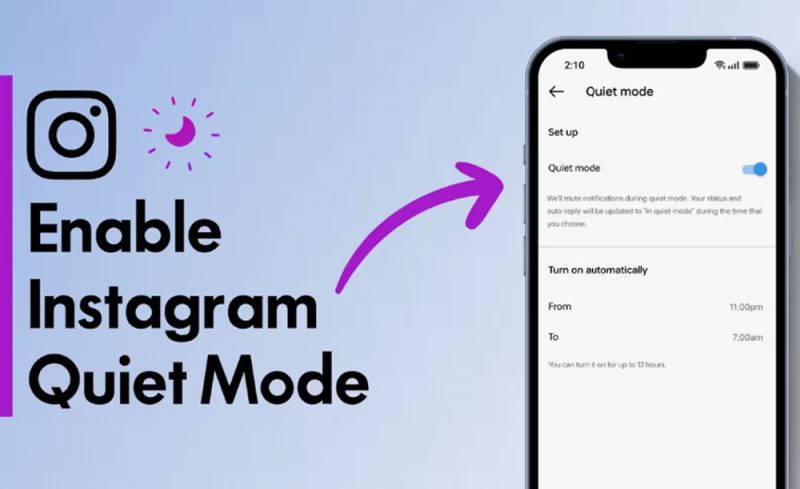
Turning on Instagram break mode is simple and quick. Here’s how you can activate Instagram Quiet Mode, here’s the step-by-step instructions:
- Open the Instagram app and go to your profile by tapping the profile icon in the bottom-right corner.
- Go to Settings, tap on the three horizontal lines at the top-right corner of your screen, and then select “Settings” from the menu.
- Tap on Notifications under the settings menu, find the option.
- Activate the Quiet Mode by scrolling down and toggle on the Quiet Mode Instagram option.
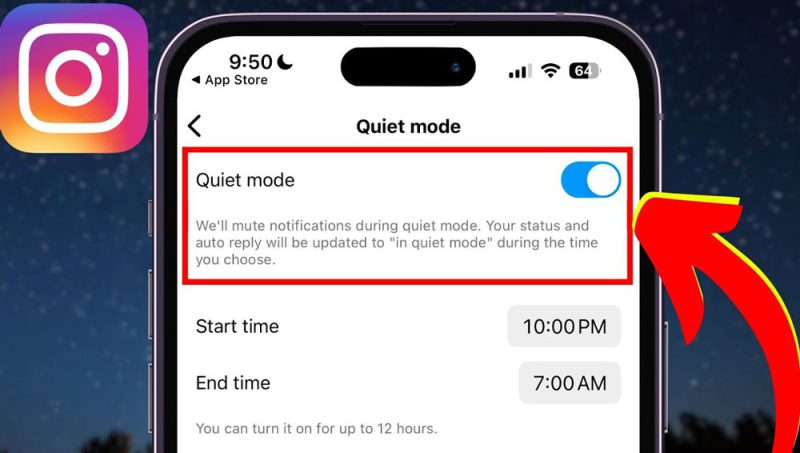
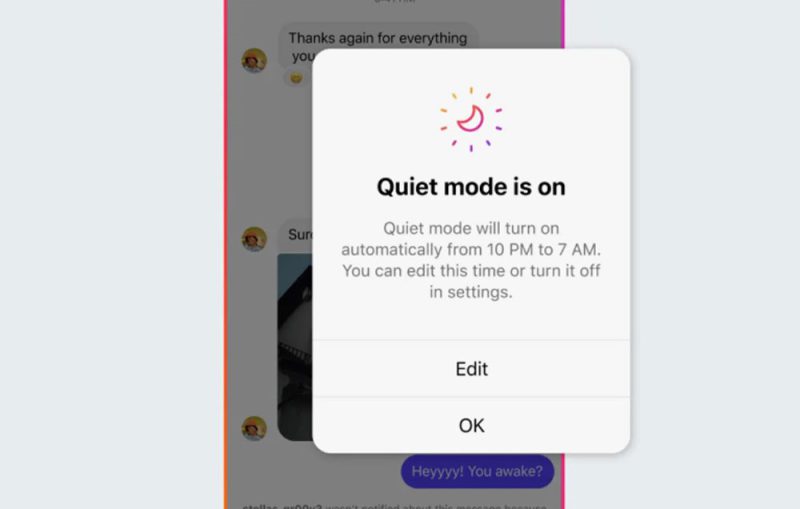
- Once activated, you can choose whether to have the mode on all the time or set specific hours for it to turn on automatically. For example, you can set it during your work or sleep hours.
- After turning on Quiet Mode, you can select which notifications you still want to receive. You can customize it to only allow messages from close friends or important updates while blocking out the rest.
You can be free from the constant stream of pings and distractions while using Instagram. It allows you to enjoy a focused experience when you decide to use the app again. The flexibility of this feature ensures that you can adjust your settings according to your personal needs and goals.
In conclusion
Instagram Quiet Mode can truly offer an appealing solution for those looking to escape the constant flood of notifications and messages. This feature allows you to temporarily disconnect from the digital noise, giving you the space to focus or relax, and only engage when you choose. However, is this option just a short-term fix, or can it genuinely improve your long-term social media experience?
Now that you’ve discovered this new feature, we’d love to hear your thoughts; Are you looking for ways to find peace in the digital world? Do you think this feature could help you manage your time better? Comment us here!
How does Quiet Mode on Instagram work?
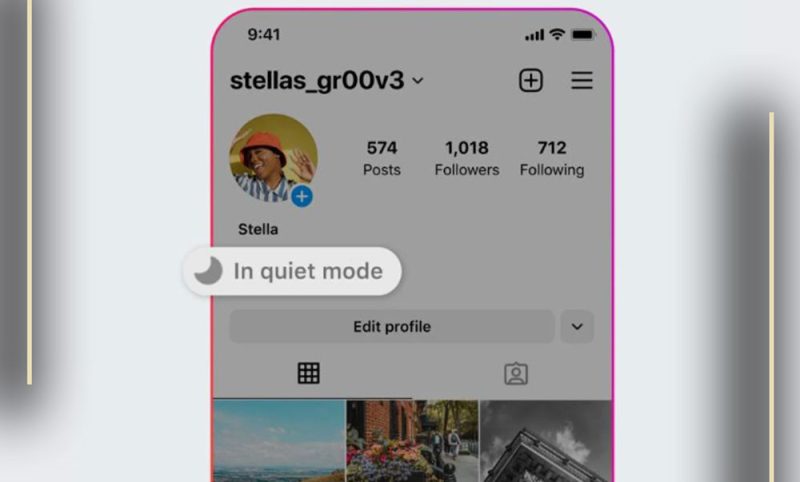
When you activate Quiet Mode, all notifications are silenced, and your status will show as “In Quiet Mode” to others. This helps manage distractions while keeping your account active without interruptions.
Can people still message me during Quiet Mode?
Yes, people can still send messages, but you won’t receive notifications for them. Your followers will see that you’re in Quiet Mode if they try to interact with you.
Can I schedule Instagram Quiet Mode?
Yes, you can schedule Quiet Mode for specific hours, such as at night or during work hours, to automatically turn on and off.
Will Quiet Mode block calls or messages from specific people?
No, Quiet Mode doesn’t block messages or calls from specific individuals. It just silences notifications for all interactions.
How do I turn off Quiet Mode feature on Instagram?
To turn off Quiet Mode, go to your Instagram settings, find “Notifications,” and toggle off Quiet Mode. Notifications will resume as normal.