Oninsta
If you’re struggling with “Why Is One of the Instagram Accounts Not Updated?” it doesn’t have to stay that way. You should do something about it, or it can slow down your experience, leaving you stuck with outdated functionality and annoying glitches.
You could be missing out on shiny new tools, critical security updates, and fresh features everyone else seems to enjoy. But your Instagram woes are about to end. Leave the troubleshooting to us in this guide, and watch your account come back to life!
Why Is One of the Instagram Accounts Not Updated? (6 Key Factors)
If your Instagram account is not updating, multiple explanations might exist. This guide explains how to fix Instagram update issues, including app versions, device compatibility, and regional rollouts.
® Outdated Instagram App Version
Sometimes, the root cause of Instagram update problems is simply that you’re using an outdated Instagram app version.
- This may cause you to miss out on security patches and performance improvements.
® Account-Specific Feature Rollouts
Instagram doesn’t always release updates to everyone at the same time. Instead, it employs account-specific rollouts to introduce new features gradually.
- One of your Instagram accounts might be later in the Instagram feature rollout.
® Instagram Device Compatibility
Different devices and operating systems can affect how Instagram updates.
- Older devices may struggle to support the latest app version or features, causing Instagram update problems for specific accounts.
® Regional Instagram Updates
Instagram often rolls out new features in regions or countries one at a time.
- If one of your Instagram accounts is located in a region where the feature has yet to be rolled out, you may experience an Instagram feature delay.
® Cache and Data Issues
An overloaded cache can cause the account to show old features instead of the latest ones.
- This issue may prevent Instagram from loading new elements properly, causing delays in Instagram updates.
® Account Type and Restrictions
If you use a personal account, Instagram features may be rolled out more slowly.
- Instagram business accounts often receive professional tools, such as analytics and additional promotional features, earlier than personal accounts.
- If your account has been flagged for violating Instagram’s guidelines, you may experience limitations that affect updates.
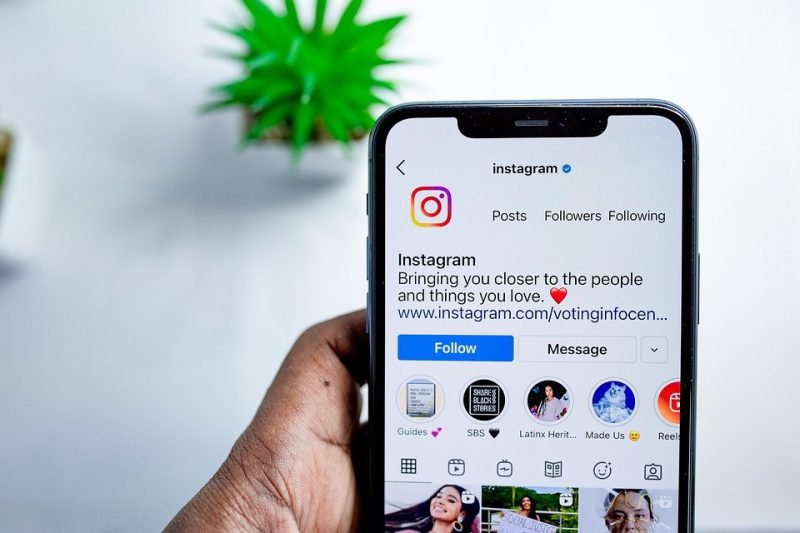
How to Fix Instagram Account Issues When One Account Isn’t Updating
If one of your Instagram accounts isn’t updating or missing out on features, follow these troubleshooting steps to fix the issue:
| Step | Action & Explanation |
| Update Instagram App | Ensure your Instagram app is current by checking for App Store or Google Play Store updates.
o This ensures you get the latest features, security patches, and bug fixes, preventing Instagram update problems. o If updates still aren’t showing, reinstall the Instagram app. |
| Switch Between Accounts | After updating, switch between multiple Instagram accounts to ensure new features are activated across all your profiles. Enable automatic app updates on your devices to always stay up to date with the latest Instagram version updates. o On iOS: Go to Settings > App Store > App Updates and enable automatic updates. o On Android: Go to Play Store > Profile Icon > Settings > Auto-update apps. |
| Clear Cache (Android) | Clear the app’s cache on Android by going to Settings > Apps > Instagram > Storage.
o This resolves Instagram update delays caused by outdated cached data. |
| Check Network Connection | Ensure you have a stable connection to avoid Instagram update issues.
o Switch from Wi-Fi to mobile data or restart your router to improve connectivity. |
| Contact Instagram Support | If the problem persists, contact Instagram support via Settings > Help > Report a Problem.
o Provide details about your account and your issues to get personalized assistance. o Stay updated on Instagram’s community guidelines to avoid restrictions that could affect the Instagram feature rollout on your account. |
Final Thoughts
By understanding the factors contributing to Instagram update problems, you can quickly troubleshoot and resolve the issue.
With the right approach, you can restore your account’s performance, unlock all the latest features, and enjoy a seamless Instagram experience.
If you’re encountering issues like “Why Is One of the Instagram Accounts Not Updated?” share your experiences, thoughts, or any creative solutions you’ve found in the comments below; we’re all ears and ready to help each other out!
How can I fix Instagram update delays caused by an overloaded cache?
To fix this issue, go to Settings and tap Clear Cache.
Why is only one of my Instagram accounts not refreshing?
It could be due to an outdated Instagram app version, cache issues, or Instagram’s account-specific rollouts.
Why does one of my Instagram accounts not have certain features?
Your account may be later in the Instagram feature rollout or affected by regional Instagram updates.
How do I force Instagram to update?
You can check for updates in the App Store or Google Play Store.
How do I update my 2nd Instagram account?
Ensure the app is updated, then switch between multiple Instagram accounts to activate the new profile features.